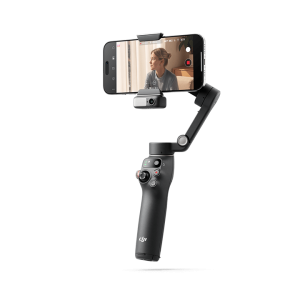
 DJI Osmo Mobile 8 Smartphone Gimbal | ActiveTrack 7.0 | 360° Pan Rotation | Best Price in Egypt
6,900 EGP 8,800 EGP
View product
8,100 EGP 8,990 EGP
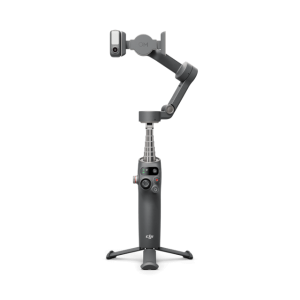
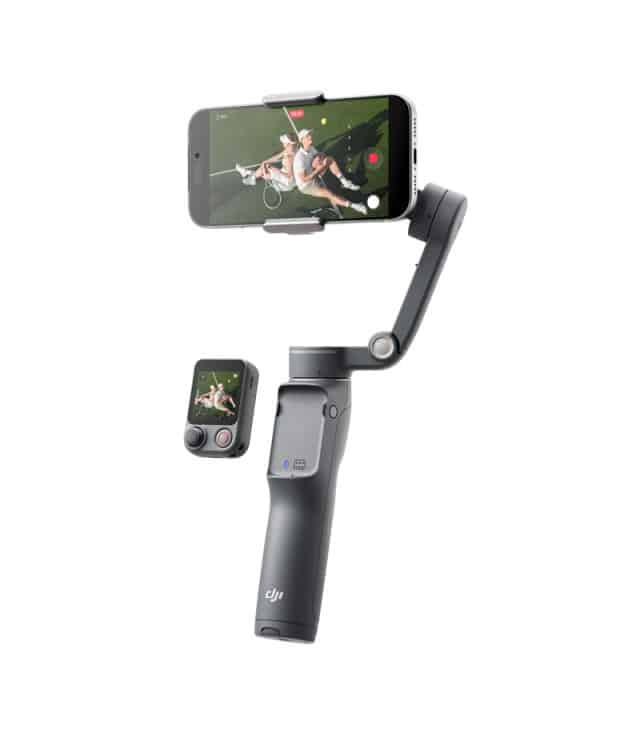
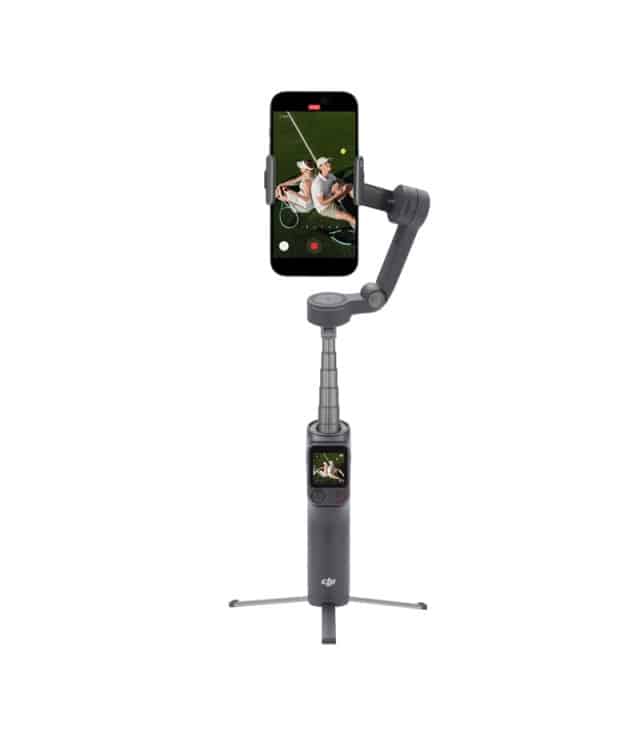
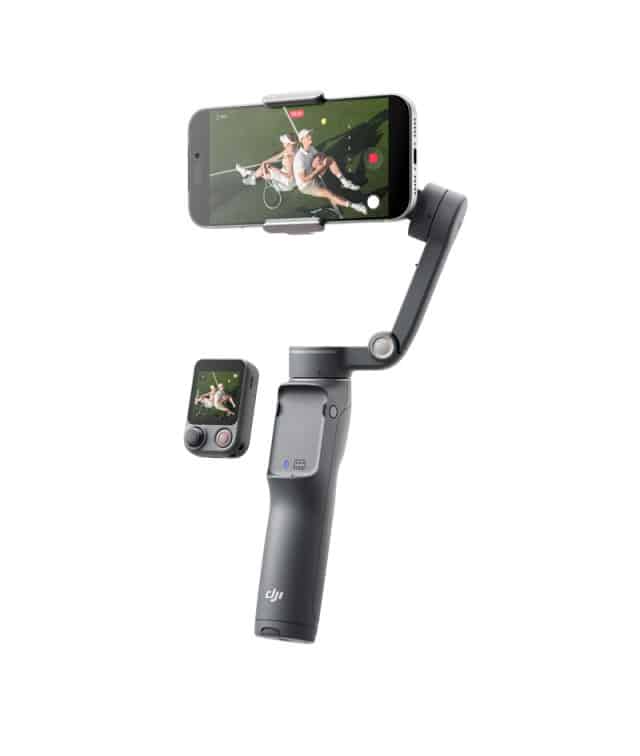
The DJI Osmo Mobile 8P Device Only is an advanced 3-axis smartphone gimbal featuring the detachable Osmo FrameTap remote, compatible screen mirroring, unlimited 360° pan rotation, and up to 10 hours of battery life. With its built-in 215mm extension rod, integrated tripod, and Apple DockKit support for compatible iPhones, it’s ideal for vloggers, filmmakers, and solo content creators. The Multifunctional Module 2 is not included.
| Specification | Details |
|---|---|
| Brand | DJI |
| Model | Osmo Mobile 8P |
| Retail Version | Device Only |
| Product Category | Smartphone Gimbal Stabilizer |
| Stabilization | 3-Axis Mechanical Gimbal |
| Stabilization Generation | 8th Generation |
| Remote Controller | Osmo FrameTap |
| Remote Included | Yes |
| Remote Attachment | Detachable Magnetic Design |
| Remote Control Distance | Up to 10m |
| Compatible Screen Mirroring | Yes, device-dependent |
| Pan Rotation | Unlimited 360° |
| DJI Mimo Tracking | Supported on compatible devices |
| ActiveTrack 8.0 | Selected iPhones via DJI Mimo |
| Apple DockKit | Supported on compatible iPhones |
| Optional Tracking Module | DJI OM Multifunctional Module 2 |
| Module 2 Included | No |
| Built-in Fill Light | Not included in Device Only |
| Built-in Extension Rod | Yes |
| Maximum Rod Extension | 215mm |
| Built-in Tripod | Yes |
| Tripod Unfolded Radius | Approx. 97mm |
| Rated Operating Time | Up to 10 Hours |
| Approximate Charging Time | 2.5 Hours |
| Smartphone Charging | USB-C Output |
| Compatible Phone Width | 67–84mm |
| Compatible Phone Thickness | 6.9–11mm |
| Compatible Phone Weight | 170–300g |
| Magnetic Phone Clamp | DJI OM Magnetic Phone Clamp 5 |
| Approximate Magnetic Holding Force | 40N |
| Bottom Mount | 1/4-inch-20 UNC |
| Supported App | DJI Mimo |
| NFC Pairing | Compatible devices |
| Water Resistance | Not Waterproof |
| Included Wireless Microphone | No |
DJI Osmo Mobile 8P Device Only is an advanced 3-axis smartphone gimbal designed for vloggers, mobile filmmakers, YouTubers, and content creators who want smooth footage and greater control over their framing. With the detachable Osmo FrameTap remote, compatible phone-screen mirroring, unlimited 360° pan rotation, and a built-in extension rod and tripod, it turns a compatible smartphone into a more flexible filming setup.
Whether you’re recording videos at home, exploring Cairo, creating Instagram Reels, or producing professional-looking product demonstrations, the Osmo Mobile 8P gives you more ways to capture the shot.
Explore the DJI Osmo Mobile 8P Device Only in Egypt at El Avocato Mobile and discover a smarter way to create smartphone videos.
The DJI Osmo Mobile 8P Device Only is the basic gimbal package, featuring the Osmo FrameTap remote without the additional Multifunctional Module 2 or wireless microphone accessories.
This distinction is important because the Osmo Mobile 8P is available in different configurations.
The Device Only package provides the core stabilizer and remote-control equipment needed for compatible smartphone filming.
Its main included components are:
The DJI OM Multifunctional Module 2 is not included. Its additional tracking features, fill light, and module-based live-view functions require the separately available accessory.
This listing is for the Device Only version, not the Advanced Tracking Combo or Creator Combo.
The Osmo Mobile 8P combines DJI’s eighth-generation gimbal stabilization with remote framing, intelligent tracking options, and flexible camera movements in a compact smartphone filming system.
Its standout capabilities include:
These features make the Osmo Mobile 8P particularly useful for creators who want more freedom when filming themselves or moving subjects.
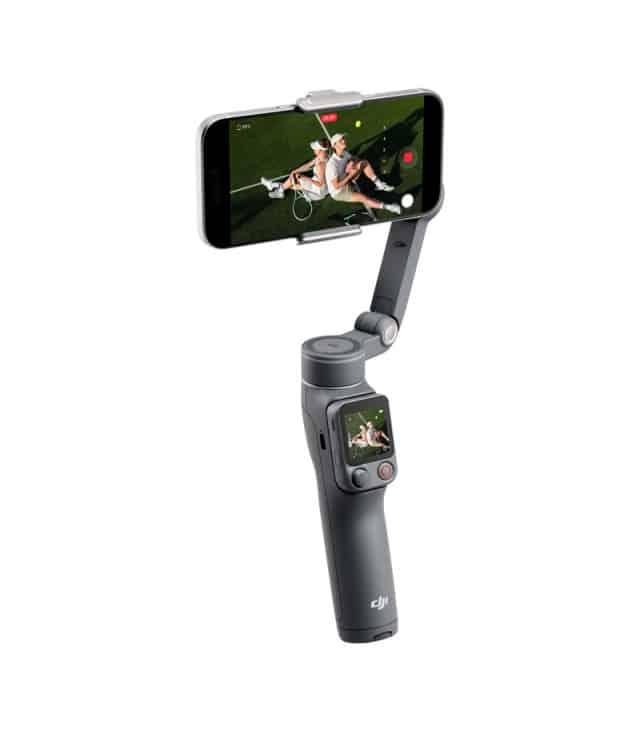
The detachable Osmo FrameTap remote allows compatible smartphone users to monitor their framing and control the gimbal without remaining beside the phone.
One of the biggest challenges when filming alone is getting the composition right.
You might position your smartphone, walk into the shot, and discover that your face is too close to the edge or that the camera is pointed in the wrong direction.
Osmo FrameTap makes this process easier.
The remote attaches magnetically to the gimbal handle for one-handed operation and can be detached when you need to control your setup from a distance.
Depending on your device and the selected recording mode, supported functions include:
DJI specifies remote gimbal control from up to 10 meters through supported Bluetooth or Wi-Fi connections.
This is especially useful for solo presenters, reviewers, educators, and content creators who frequently record without a second camera operator.
Screen mirroring depends on your smartphone and recording workflow.
Android: Compatible Android phones support direct screen mirroring to Osmo FrameTap.
iPhone: Supported iPhones can mirror their screen through the DJI Mimo app.
Optional Multifunctional Module 2: When the module is connected, its compatible camera feed can be viewed through Osmo FrameTap.
Important: Selecting subjects by tapping the module’s live-view feed on Osmo FrameTap requires the optional Multifunctional Module 2. It is not a standalone tracking capability of the Device Only package.
DJI Osmo Mobile 8P uses eighth-generation 3-axis mechanical stabilization to compensate for unwanted movements during handheld smartphone recording.
Smartphone footage often becomes shaky when walking, changing direction, or filming while moving.
The Osmo Mobile 8P stabilizes the attached phone across three axes, helping create smoother, more controlled camera movement.
This makes it useful for:
The mechanical stabilization also gives creators more control over deliberate camera movements, rather than relying entirely on the phone’s built-in image stabilization.
Actual results depend on balancing the phone correctly, choosing the appropriate shooting mode, and avoiding movements beyond the gimbal’s mechanical operating limits.
The DJI Osmo Mobile 8P supports unlimited 360° horizontal rotation on its pan axis, making continuous panoramic camera movements possible.
This gives creators additional flexibility when filming subjects moving around the camera.
For example, a presenter can move through a scene while the gimbal rotates horizontally to maintain the desired composition in a compatible tracking mode.
The continuous pan movement also supports creative panoramic videos and smooth transitions between shooting directions.
It is particularly useful for:
The unlimited rotation feature applies to the pan axis, not all three gimbal axes.
The Osmo Mobile 8P supports different subject-tracking workflows, but the available capabilities depend on the smartphone, recording application, and connected accessories.
There are three important tracking approaches.
DJI Mimo provides intelligent tracking and creative filming tools on supported devices.
ActiveTrack 8.0, as specifically identified by DJI, is currently available in DJI Mimo on selected iPhone models.
It is designed to follow moving subjects and improve tracking continuity in challenging scenes.
DJI Mimo also offers other subject-tracking features, with availability depending on the phone and application version.
For Android users, do not assume that every ActiveTrack 8.0 feature operates in the same way as on a supported iPhone.
Apple DockKit enables compatible iPhones to track subjects using the native camera or supported third-party applications.
This can be useful for creators who prefer filming outside DJI Mimo.
DJI specifies compatibility with:
Specific app compatibility should be checked before recording.
Apple DockKit tracking is separate from DJI Mimo tracking and cannot be used simultaneously with every other tracking mode.
The separately available DJI OM Multifunctional Module 2 extends tracking capabilities and supports compatible workflows involving:
It also enables supported module-camera live view through Osmo FrameTap.
For general object tracking, DJI requires manual target selection in certain situations. The object should have a clear outline, contrast with its background, and occupy sufficient space in the image.
The Multifunctional Module 2 is not included in this Device Only package.
| Tracking Method | Additional Module Required? | Main Requirement |
|---|---|---|
| DJI Mimo Tracking | No | Compatible phone and app |
| ActiveTrack 8.0 | No | Supported iPhone and DJI Mimo |
| Apple DockKit | No | Compatible iPhone and software |
| Multifunctional Module 2 Tracking | Yes | Separately available Module 2 |
| Module-Based Tap-to-Track on FrameTap | Yes | Module 2 and compatible live-view connection |
This distinction helps you choose the right setup before recording instead of assuming all tracking methods are available automatically.
The Osmo Mobile 8P includes a built-in extension rod that reaches up to 215mm, making it easier to film from different perspectives.
The extension rod gives your smartphone extra distance from your hand.
It can help when recording:
You can also tilt the gimbal forward and extend the rod for supported low-angle shots.
For example, when filming a pet, a small product near the floor, or a moving subject from a lower perspective, the extension rod can help position the phone more conveniently.
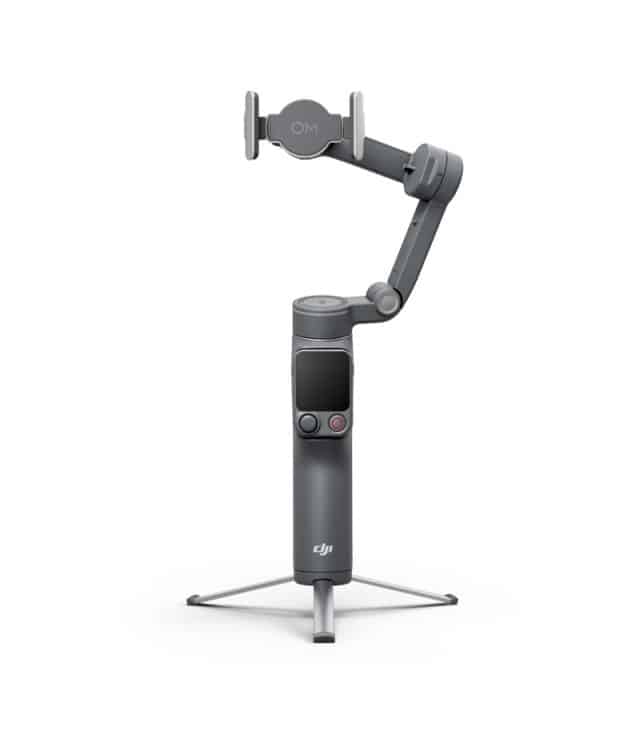
A built-in folding tripod allows the Osmo Mobile 8P to stand on suitable flat surfaces, making hands-free shooting more practical.
Unlike a smartphone gimbal that requires a separate stand for basic tabletop use, the Osmo Mobile 8P integrates its tripod into the handle.
DJI’s updated tripod has independently opening legs and an unfolded radius of approximately 97mm.
The design supports a wider stance when placed on a flat surface.
This can be useful for:
For reliable operation, use the tripod on a stable, level surface in calm conditions. It is not intended to guarantee stability on uneven ground or in strong winds.
DJI rates the Osmo Mobile 8P for up to 10 hours of operation under defined test conditions, and the gimbal can also supply power to a compatible smartphone through USB-C.
The advertised operating time was measured with the gimbal balanced, level, and stationary, using Osmo FrameTap without other accessories.
DJI’s test included:
Actual runtime can vary depending on shooting movements, connected equipment, remote operation, and phone charging.
Yes. The gimbal includes a USB-C output on its roll axis.
Using a suitable cable, it can supply power to a compatible smartphone during recording.
The USB-C port on the handle is used to recharge the gimbal itself.
DJI lists an approximate full charging time of 2.5 hours.
When the gimbal is also charging a phone, battery power is shared, so the total filming time may be reduced.
The DJI Mimo app provides compatible shooting modes, tutorials, and editing tools to help creators produce more polished smartphone videos.
Depending on the connected device and software support, available tools include:
DJI Mimo is useful for beginners who want guidance on composition and recording techniques.
More experienced creators can use its filming modes to build repeatable camera movements and creative sequences.
Feature availability varies by phone, app version, and recording mode.
DJI Osmo Mobile 8P supports compatible iPhone and Android smartphones within the recommended physical size and weight limits.
DJI specifies the following supported phone dimensions:
| Requirement | Supported Range |
|---|---|
| Phone Width | 67–84mm |
| Phone Thickness | 6.9–11mm |
| Phone Weight | 170–300g |
Compatibility is not determined by dimensions alone.
To use the complete range of supported software functions, your phone may also need a compatible operating system, camera application, Bluetooth connection, or additional accessories.
Before ordering, confirm your smartphone model through the official DJI compatibility list.
| Specification | Details |
|---|---|
| Brand | DJI |
| Model | Osmo Mobile 8P |
| Retail Version | Device Only |
| Product Category | Smartphone Gimbal Stabilizer |
| Stabilization | 3-Axis Mechanical Gimbal |
| Stabilization Generation | 8th Generation |
| Remote Controller | Osmo FrameTap |
| Remote Included | Yes |
| Remote Attachment | Detachable Magnetic Design |
| Remote Control Distance | Up to 10m |
| Compatible Screen Mirroring | Yes, device-dependent |
| Pan Rotation | Unlimited 360° |
| DJI Mimo Tracking | Supported on compatible devices |
| ActiveTrack 8.0 | Selected iPhones via DJI Mimo |
| Apple DockKit | Supported on compatible iPhones |
| Optional Tracking Module | DJI OM Multifunctional Module 2 |
| Module 2 Included | No |
| Built-in Fill Light | Not included in Device Only |
| Built-in Extension Rod | Yes |
| Maximum Rod Extension | 215mm |
| Built-in Tripod | Yes |
| Tripod Unfolded Radius | Approx. 97mm |
| Rated Operating Time | Up to 10 Hours |
| Approximate Charging Time | 2.5 Hours |
| Smartphone Charging | USB-C Output |
| Compatible Phone Width | 67–84mm |
| Compatible Phone Thickness | 6.9–11mm |
| Compatible Phone Weight | 170–300g |
| Magnetic Phone Clamp | DJI OM Magnetic Phone Clamp 5 |
| Approximate Magnetic Holding Force | 40N |
| Bottom Mount | 1/4-inch-20 UNC |
| Supported App | DJI Mimo |
| NFC Pairing | Compatible devices |
| Water Resistance | Not Waterproof |
| Included Wireless Microphone | No |
Specifications and operating limits are based on official DJI documentation. Features may depend on smartphone compatibility, firmware, app support, and accessories. Battery life is measured under specified conditions.
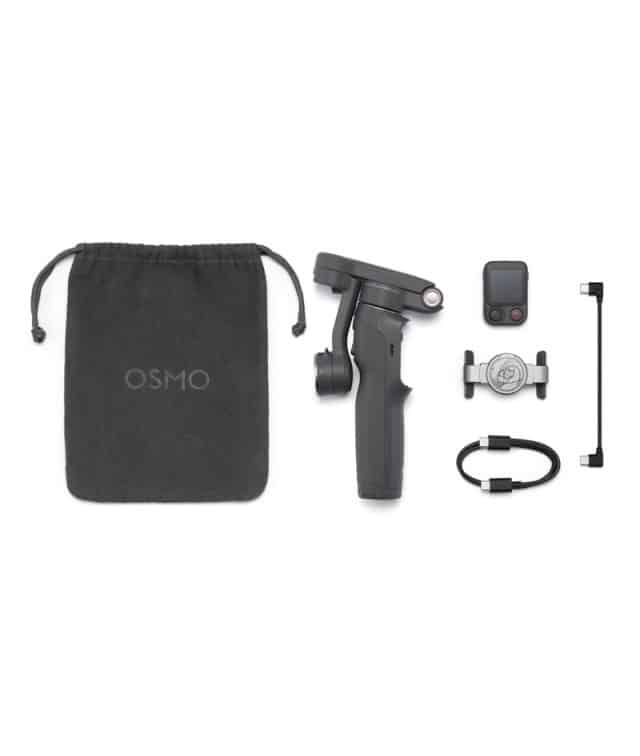
The Device Only configuration corresponds to the essential Osmo Mobile 8P package, including the gimbal, Osmo FrameTap remote, magnetic phone clamp, connection cables, and storage pouch.
| Package Item | Quantity |
|---|---|
| DJI Osmo Mobile 8P Gimbal | 1 |
| DJI OM Magnetic Phone Clamp 5 | 1 |
| Osmo FrameTap Remote | 1 |
| USB-C to USB-C Power Cable (50cm) | 1 |
| USB-C to USB-C Phone Charging Cable (15cm) | 1 |
| Storage Pouch | 1 |
This list follows DJI’s official basic-package contents.
Not included:
These accessories are available separately or through other selected configurations.
The most important difference between Osmo Mobile 8P and Osmo Mobile 8 is the included detachable Osmo FrameTap remote and its remote-framing features.
| Feature | Osmo Mobile 8P | Osmo Mobile 8 | Osmo Mobile 7P |
|---|---|---|---|
| Osmo FrameTap Remote | Included | No | No |
| 3-Axis Stabilization | Yes | Yes | Yes |
| ActiveTrack 8.0 | Compatible workflows | Compatible workflows | Compatible workflows |
| Apple DockKit | Yes | Yes | No |
| Unlimited 360° Pan | Yes | Yes | No |
| Extension Rod | 215mm | 215mm | 215mm |
| Built-in Tripod | Yes | Yes | Yes |
| Rated Battery Life | Up to 10h | Up to 10h | Up to 10h |
| Compatible Tracking Accessories | Yes | Yes | Yes |
If you regularly record yourself using the rear camera, make solo videos, or need to monitor the composition away from the phone, the Osmo FrameTap remote is a meaningful advantage.
However, if you already own an Osmo Mobile 8 and do not need remote framing or screen mirroring, many of the core stabilization and tracking capabilities are similar.
The best choice depends on your filming workflow rather than simply choosing the newer model.
DJI Osmo Mobile 8P Device Only is particularly suitable for creators who want stable smartphone footage and remote control over their composition without carrying a large filming setup.
It is a strong option for:
Solo YouTubers: Record talking-head videos and adjust your framing without repeatedly returning to the phone.
Instagram and TikTok Creators: Produce steady vertical videos, moving shots, and creative transitions.
Travel Vloggers: Use the foldable design, built-in rod, and tripod for flexible outdoor filming.
Product Reviewers: Set up a smartphone on a desk and remotely adjust the composition during demonstrations.
Educators: Record video lessons, tutorials, and presentations with a more controlled camera setup.
Small Businesses: Create promotional videos, interviews, and social media content using compatible smartphones.
Mobile Filmmakers: Explore cinematic camera movement, tracking, and continuous horizontal panning.
The Osmo Mobile 8P Device Only may not be the right choice if:
For simpler requirements, another DJI Osmo Mobile model may be more suitable.
El Avocato Mobile provides smartphone photography equipment and content-creation accessories for creators across Egypt.
Explore DJI stabilizers, filming accessories, and related mobile photography equipment in one place.
Visit the store at 36 Al-Bustan Street, Abdeen, near Mohamed Naguib Metro Station, Cairo, Egypt, or browse our online selection.
Find more options through:
If you’re building a smartphone filming setup, consider pairing your gimbal with compatible wireless microphones, lighting equipment, and mobile photography accessories.
DJI Osmo Mobile 8P Device Only is the basic smartphone gimbal configuration, including the Osmo FrameTap remote and essential accessories. It does not include the Multifunctional Module 2 or a wireless microphone kit.
Yes. The detachable Osmo FrameTap remote is included in the basic package. It allows supported remote gimbal controls and compatible screen mirroring.
The Advanced Tracking Combo adds DJI OM Multifunctional Module 2, which provides additional subject-tracking and fill-light features. The Device Only package does not include that module.
Yes, with compatible Android smartphones. DJI recommends devices measuring 67–84mm wide, 6.9–11mm thick, and weighing 170–300g. Specific tracking and screen-mirroring features depend on the Android model and software.
Yes. It supports compatible iPhones, with features such as ActiveTrack 8.0 and Apple DockKit subject to additional device and software requirements.
Yes. DJI specifies support for compatible iPhone 12-series devices and later, excluding iPhone SE (3rd generation) and iPhone 16e, with iOS 18.5 or later.
Yes, on compatible smartphones and recording setups. Supported Android phones can mirror their screens directly, while supported iPhones can mirror through DJI Mimo.
Yes, through compatible DJI Mimo or Apple DockKit workflows. The exact features depend on the smartphone and application. Tracking that uses Multifunctional Module 2 requires the separately available module.
No. The Multifunctional Module 2 is not included. General-object tracking through that module requires purchasing and connecting the compatible accessory.
Yes. It supports unlimited horizontal pan rotation, allowing continuous panning movements. Unlimited rotation does not apply to all three axes.
DJI rates the gimbal for up to 10 hours under specified test conditions. Actual runtime varies based on movements, remote operation, attached accessories, and smartphone charging.
Yes. The gimbal has a USB-C output that can supply power to a compatible smartphone using the appropriate cable.
Yes. It features an integrated tripod and a built-in extension rod that extends up to 215mm.
No. DJI states that both the Osmo Mobile 8P and the Osmo FrameTap remote are not waterproof.
Osmo Mobile 8P adds the detachable Osmo FrameTap remote, updated phone clamp, and revised tripod design. Both models share several key stabilization and tracking capabilities. The 8P is particularly useful if remote framing is important to your workflow.
Take control of your smartphone filming with DJI Osmo Mobile 8P Device Only at El Avocato Mobile Egypt.
Enjoy smoother footage, remote framing with Osmo FrameTap, creative 360° camera movements, and flexible filming with the built-in extension rod and tripod. Explore the DJI Osmo Mobile range and choose the stabilizer that matches your smartphone and creative goals.

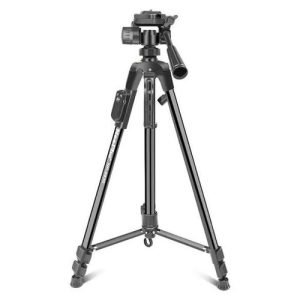
Upgrade your selfies and live broadcasts with the NeePho NP-L12, a powerful 2-in-1 selfie stick and tripod featuring Smart Face Tracking, Bluetooth remote control, 360° rotation, and extendable height up to 1.6m. Now available at the best price in Egypt, with same-day delivery in Cairo and fast nationwide shipping.
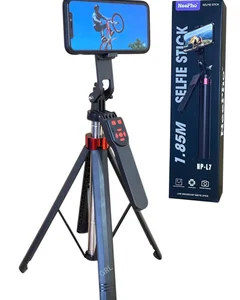
The Neepho NP-L7 is a professional selfie stick designed for vloggers, travelers, and live streamers. With a maximum length of 1.85 meters, 360° head rotation, and a built-in Bluetooth remote, it delivers the ultimate flexible shooting experience.

A complete mobile video recording kit with high-quality microphone, LED light, smartphone holder, tripod, and Bluetooth remote. Ideal for content creators, YouTubers, and live streaming.

>>>>>data-start=”1792″ data-end=”1963″>The RL-21 LED Ring Light features a 21-inch diameter with a tripod stand and remote controller. Soft lighting for mobile and camera, ideal for vlogging and live streaming.
Same category, close to the same price